
What is a remote MCP server?
Short answerA remote MCP server lets a web AI app reach tools over HTTPS. Learn how it works, where it fits, and how to keep access narrow.
Written with AI assistance
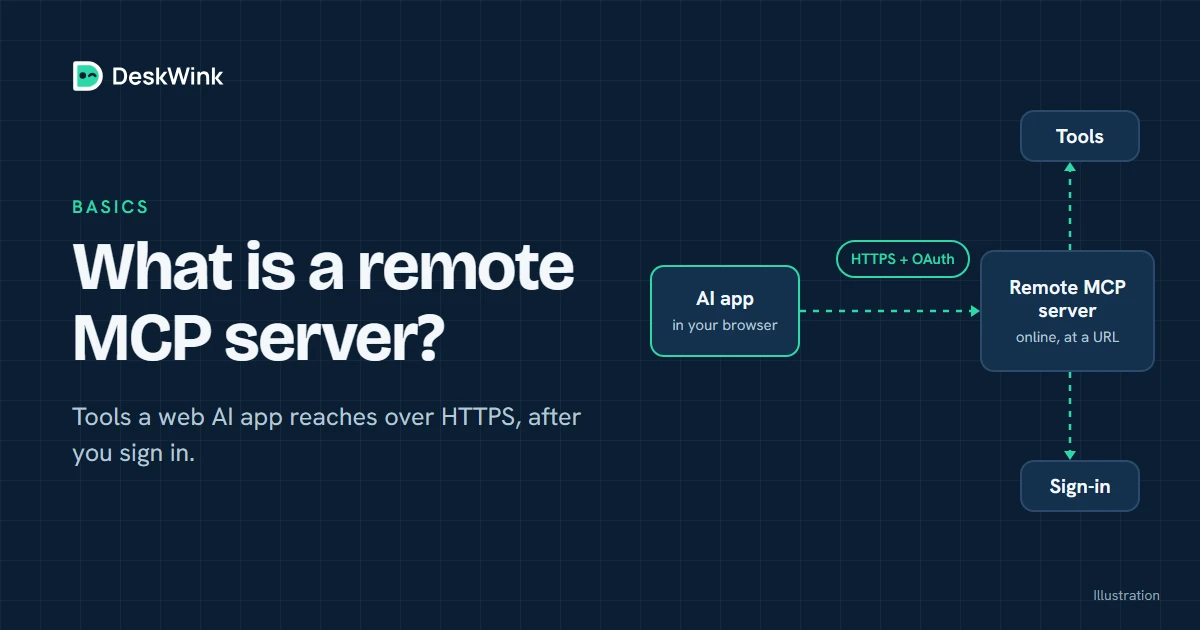
Remote MCP means that the server offering tools or data runs on the internet instead of on the same computer as the AI app. The app connects to it over HTTPS, usually after an OAuth sign-in. That makes it possible for a web assistant such as ChatGPT or Claude to use a service without reaching into your home network directly.
The short version
The Model Context Protocol gives an AI app a common way to discover and call tools. A remote MCP server is one implementation of that protocol that can be reached at a public HTTPS address. The server describes its tools, receives a structured request, checks the caller's permission, and returns a result.
The word remote describes where the server runs. It does not tell you whether the server is safe, whether it can write files, or who can use it. Those are separate questions. A read-only reference server and a server that can change a computer may both be remote MCP servers.
The official Model Context Protocol documentation describes the protocol and its concepts. The exact connection screens and available plans belong to each AI product, so check the vendor's documentation before you connect an account.
Local and remote MCP servers
There are two common arrangements. A local server runs on the same computer as the AI host. The host starts it as a local process, often through standard input and output. A remote server runs elsewhere and exposes an HTTPS endpoint. The host opens a network connection instead.
| Arrangement | Where the server runs | Typical connection | What it is useful for |
|---|---|---|---|
| Local MCP server | Your computer or a nearby private machine | A local process or command | Development, private services and tools that must stay on one machine |
| Remote MCP server | A hosted service or a device reachable over HTTPS | A remote URL, often with OAuth | Web AI apps, shared services and connections that need a stable address |
The choice is about the trust boundary. With a local server, the process can often see the machine that starts it. With a remote server, the service can see requests that arrive at its endpoint, and the AI app sends data across the network. Read the server's privacy and retention statements before you send sensitive information.
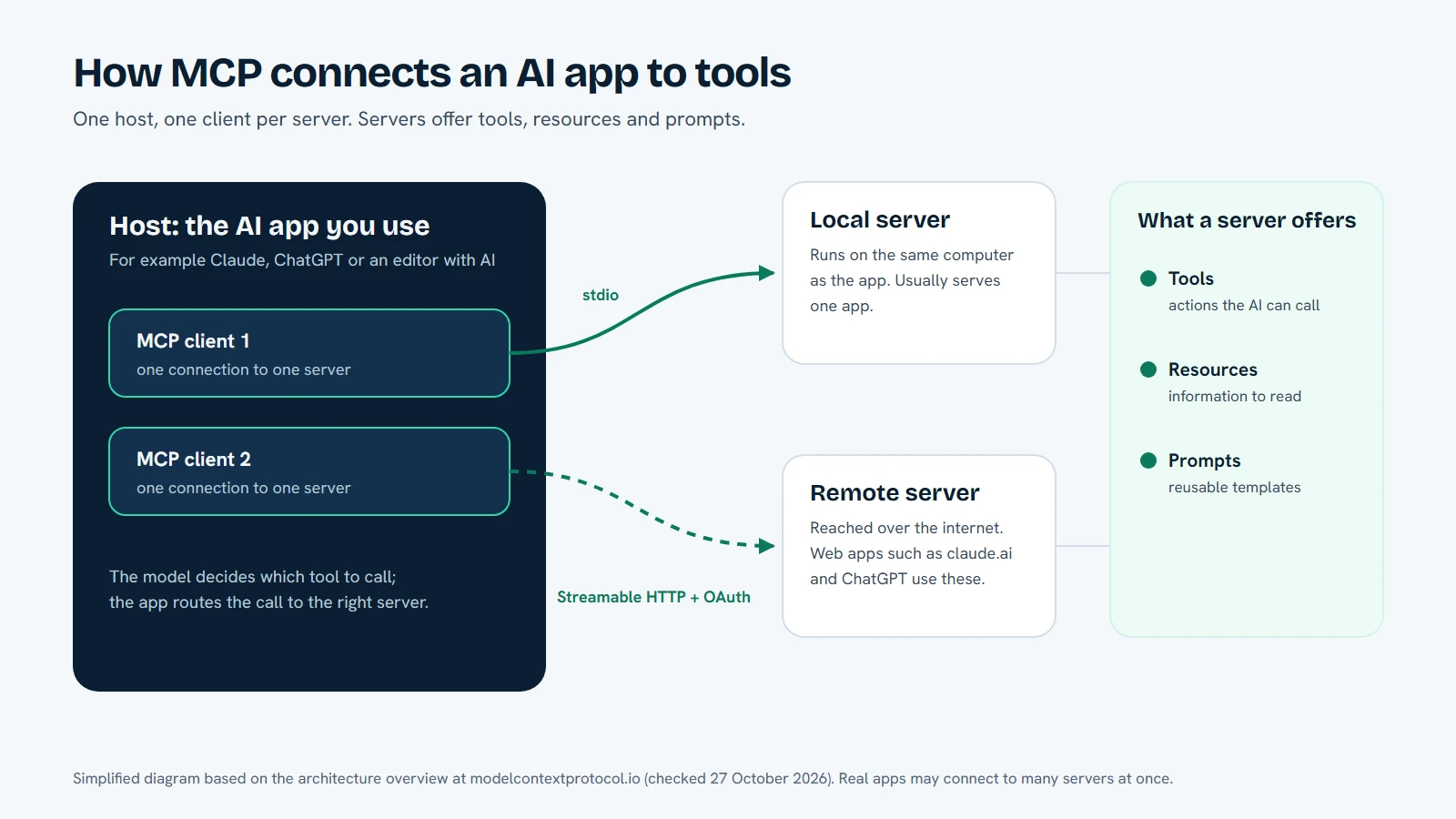
How a remote MCP request travels
The details vary by client, but the sequence is usually easy to understand.
- The AI app opens the connector. You add the remote MCP URL in the app's connector or developer settings. A web app cannot normally use a
localhostaddress on your computer, because its request starts in the vendor's cloud. - The server advertises its capabilities. The client asks which tools, resources or prompts are available. The descriptions tell the model what each operation expects and returns.
- You authorise the connection. A well-designed service sends you through an explicit sign-in and consent step. OAuth can identify the account and limit what the client may do. Do not paste a long-lived secret into an untrusted form just because a setup guide asks for one.
- The model proposes a tool call. The AI app turns your request into a structured call. The server authenticates it, checks the policy for that account and decides whether the operation is allowed.
- The server returns a result. The response travels back to the AI app, which turns it into an answer or asks you what to do next. A write operation should be visible and reviewable before it changes anything important.
The server is still responsible for the last decision. MCP standardises the conversation between a client and a server. It does not grant a server permission to read every file, run every command or act for every account.
Why web AI apps need a remote endpoint
A hosted AI app and a local tool start in different places. The hosted app may be running in a data centre, while your files are on a Windows PC or Mac behind a router. A local URL works for software on your own machine, but it does not automatically give a cloud service a route into that machine.
That is why web connectors use a remote HTTPS address. The address gives the client a stable place to start an OAuth flow and send MCP requests. The service can then use a controlled outbound connection to reach another component, or it can complete the request itself.
The same pattern works for a data service, a ticket system, a reporting tool or a personal computer. The useful question is not whether the endpoint is remote. Ask what it can reach, what it records, which account is acting, and how a person takes back access.
Remote does not mean trusted
Treat a remote MCP connection like any other integration that can receive data or perform actions. Before you connect it, look for five things.
A clear identity
Use the vendor's real domain and an HTTPS URL. Check the spelling and the organisation behind the service. A look-alike domain can collect a token or send you to the wrong consent screen.
Narrow permissions
The server should state which folders, records or operations it can reach. A connection that only reads a selected folder is easier to review than one that silently grants access to an entire computer. If the service offers separate read and write permissions, start with read-only access.
A visible approval point
Reading a document and changing it are different actions. A service that asks you to approve a change gives you a chance to catch an unsafe instruction, a wrong path or a request that the model misunderstood.
Honest data handling
Find out whether the service stores file contents, tool arguments, results or access logs. A statement such as no file content is stored does not mean the service stores nothing. It may still retain account data, timestamps or security events.
A way to revoke access
You should be able to disconnect the AI client, revoke its grant and remove the local agent's pairing. Test the recovery path before you need it. An integration that is easy to connect but hard to disconnect creates unnecessary risk.
Remote MCP and your own computer
DeskWink is designed for the case where a web AI app needs to work with your own Windows PC or Mac. You install its command-line agent, pair the computer and connect the AI app to DeskWink's remote MCP endpoint. The cloud router forwards an authorised request to the paired device through an outbound connection.
The settings live on the computer, and you can change them. A new install starts with the whole computer, every ability (files, commands, the browser through the extension, and desktop control and the clipboard on Windows) and changes going through without asking, with no time limit. In the computer's settings, on the website or on the computer, you can limit it: choose folders instead of the whole computer, turn abilities off, or raise the approval level so changes wait for your approval. Before DeskWink applies a file change it saves a copy of the original on the computer, so deskwink restore can put it back, and every action shows in Activity. DeskWink does not store file contents or diffs in its database or logs. It is in closed beta, so check the security model and getting started guide for the behaviour available today.
The computer stays the authority over its own settings. The website can limit a computer at any time. It can widen a computer's settings, or approve a command that is waiting, only when website settings are on for that computer, which they are for a new install. Widening also needs a recent sign-in, is recorded as a security event and is emailed to the account. You can turn website settings off on the computer. No MCP tool and no AI app can change any of this. That is a product rule, not something MCP provides automatically.
When to choose local or remote
Choose a local server when the tool needs to stay beside a local model, when the service has no safe public endpoint, or when you are developing and want a short feedback loop. Choose a remote server when the client is a hosted AI app, when several clients need the same service, or when an outbound device connection is easier to protect than an inbound port.
The choice can also be mixed. A remote MCP server can be the public front door while the sensitive work happens on a paired device. In that design, the remote layer should authenticate the caller, apply the account policy and pass only the minimum request to the local component. It should not become a second, hidden administrator.
A safe setup checklist
Before you press Connect, confirm the following:
- The endpoint is the address published by the service you intended to use.
- The client supports remote MCP and your current plan permits custom connectors.
- The consent screen names the right account and requests only the scopes you expect.
- The first test is read-only and uses a folder or dataset with no sensitive material.
- The server explains how errors, logs and tool results are handled.
- You know where to disconnect the AI app and revoke the grant.
- A write request has a human approval step that you can see before it runs.
If a guide tells you to disable a protection, share a private token in a chat, or give an unknown server access to your entire computer, stop and verify the instruction with the vendor.
What to read next
For DeskWink, start with Connect your AI, then read the client-specific guide for ChatGPT or Claude. The pricing page explains the product's own plan status. Your AI provider's rules and limits remain its own rules; a remote MCP connection does not change them.
Frequently asked questions
Can a web AI app use a local MCP server?
A hosted AI app normally needs a remote HTTPS endpoint. A localhost address on your computer is not automatically visible to the vendor's cloud.
Is a remote MCP server automatically safe?
No. Safety depends on the server's identity, permissions, data handling, approval design and revocation path.
Does remote MCP change an AI provider's plan limits?
No. A connector does not change the provider's plans or usage rules.
Where does DeskWink fit?
DeskWink routes requests from a remote MCP endpoint to a paired computer. A new install covers the whole computer, and you can limit it to folders you choose in the computer's settings.
Let the AI you already use work with your own files, with the limits you choose in your DeskWink settings.