
OAuth for AI connectors, explained simply
Short answerLearn how OAuth connects an AI app to an MCP server, what scopes mean, what consent grants and how to revoke access safely.
Written with AI assistance
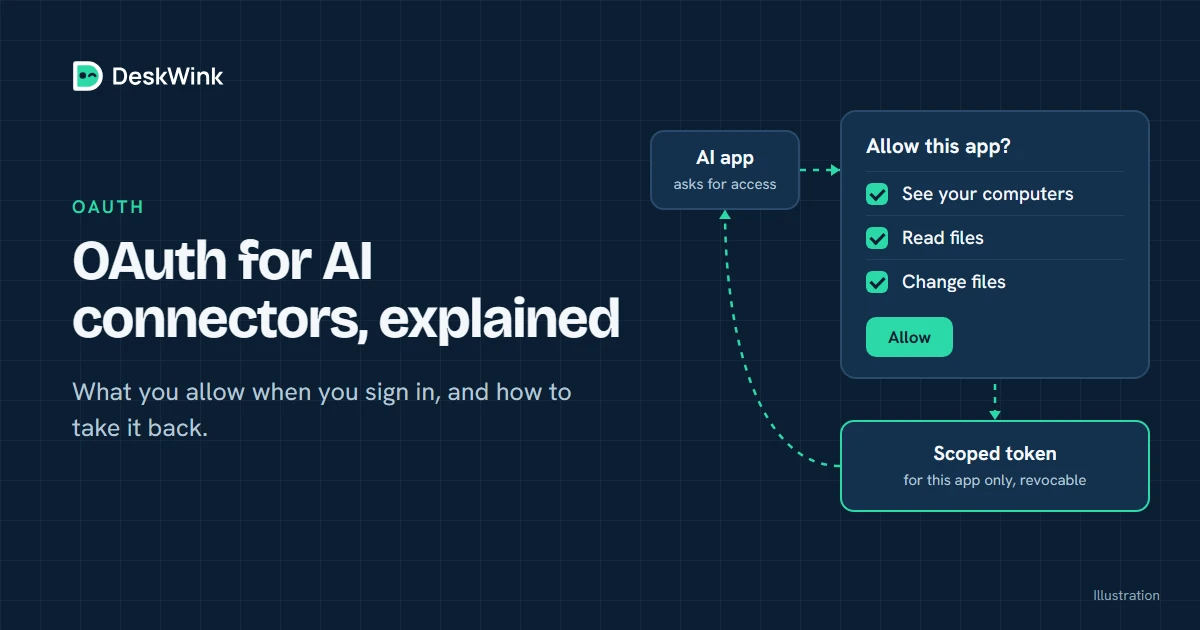
OAuth lets an AI app connect to an MCP server without asking you to paste a long-lived credential into the client. The client requests scopes, you approve or reject them, and an authorization service issues a grant the server checks. Review the owner, audience, scopes and revocation path.
The short version
Think of OAuth as a controlled hand-off. You sign in with the service that owns the resource. The AI app asks to act for you. The service shows what the app wants to do and returns a limited credential if you approve it.
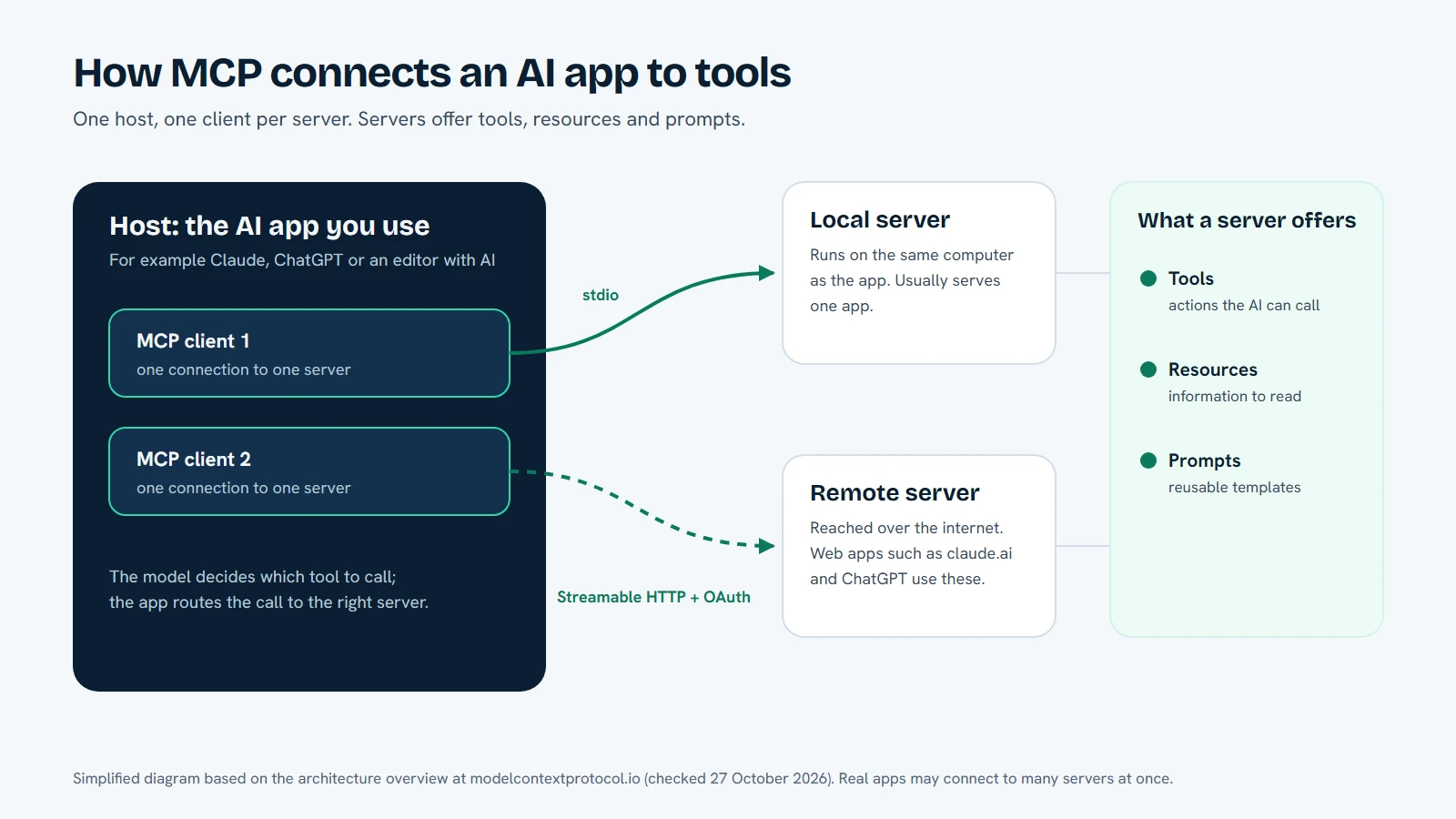
MCP and OAuth answer different questions. MCP describes how a client discovers and calls tools. OAuth describes how the client proves who it is and what the resource owner allowed. A server can support MCP without OAuth, but a hosted connector that handles personal data needs an authentication and consent story you can inspect.
The official MCP security documentation and the provider’s own connector guide are the right sources for protocol and product details. Menus, plan rules and client wording can change, so check the current vendor page before you connect.
The four roles in an OAuth connection
The names vary by documentation, but the roles are stable.
| Role | What it does |
|---|---|
| Resource owner | The person or organisation that controls the data or device |
| Client | The AI app or connector asking to call the MCP server |
| Authorization server | The sign-in and consent service that issues a grant |
| Resource server | The MCP endpoint that checks the grant and returns tools or data |
Sometimes one product hosts all four roles. Sometimes the AI client is one company, the MCP endpoint is another, and the resource is a third-party account or your own computer. Do not assume that the client and resource server share the same identity just because the connector appears in one menu.
What happens during a typical flow
- The client discovers the protected resource. It learns which MCP endpoint it is trying to reach and where that endpoint expects authentication.
- The client starts authorization. Your browser opens the authorization server with the client identity, redirect address, requested scopes and a temporary state value.
- You sign in. The authorization server confirms the account. A service may ask for a recent re-authentication before it shows a sensitive consent screen.
- You review consent. The screen should name the client, the resource and the scopes. Read the description instead of ticking every option by habit.
- The server returns a code or grant. The client exchanges the short-lived code for an access token or another grant representation.
- The client calls MCP. Each request carries proof that the server can check. The resource server verifies the audience, expiry and scopes before it returns a result.
- You can revoke. The service records the grant so you can disconnect it later. A local agent or device policy may provide a second kill switch.
The exact messages depend on the provider and protocol version. The important point is that consent is a separate decision from the model’s tool call. The model should not be able to silently add a new scope because a prompt asks for it.
Scopes are the useful part of consent
A scope is a named class of access. It might allow a client to read a resource, create a draft or publish a public post. Good scopes are narrow enough that you can understand the consequence.
For a computer connection, separate read and write access is easier to review than one “full control” switch. A connector can also separate files, browser operations, desktop input and command execution. The best default is the smallest scope that can answer the first test question.
Do not infer that a scope is harmless because its name sounds technical. “Manage”, “execute”, “admin” and “write” need a concrete description. If the consent page does not explain the scope, stop and read the provider documentation.
Tokens are not the same as permissions
An access token proves that a grant exists. It does not make every operation safe. The resource server must still check the token audience, the client, the account, the device, the folder and the operation.
Short-lived access reduces the window if a token leaks. Refresh tokens and long-lived API keys need stronger storage and rotation. Never put a token in a public issue, a screenshot or a chat message. Use the client’s secret store or the connection flow that the vendor provides.
The AI app may receive tool results that contain data from the resource. OAuth protects the connection; it does not change the provider’s retention or training policy. Read the terms for the AI app and the MCP service separately.
Consent should match the real action
The consent page is not a substitute for a per-change approval. A person may approve a connector that can read a folder, then later ask the model to write a file. The service still needs to apply the current device policy to that write, which can include waiting for your approval if you set the computer to require it.
For every scope, ask:
- Which resource can it reach?
- Which tools can use it?
- Can it write, execute or send data?
- Which person can revoke it?
- What remains after the grant ends?
If the answer is vague, start with a different server or a harmless test account.
How DeskWink uses OAuth
DeskWink exposes a remote MCP endpoint for AI apps. The client signs in on DeskWink’s authorization service and consents to the scopes available for that resource. DeskWink derives the account and workspace server-side; it does not trust a client-supplied user or device ID.
The grant reaches the DeskWink service, not a raw OAuth token forwarded to your computer. The router checks the connection, the paired device and the computer's settings, meaning the folders and abilities allowed, before it sends a request through the outbound device channel.
Those settings start wide and you can narrow them. A new install covers the whole computer with every ability on and changes going through without asking. In the computer's settings you can choose folders instead, turn abilities off, and raise the approval level so changes wait for you. The website can widen a computer only when website settings are on for it, after a recent sign-in, with a security event and an email to the account. No AI app can do that through the OAuth grant or MCP.
For blog connections, DeskWink uses separate blog:read, blog:write and blog:publish scopes. Publishing is opt-in and remains an administrator action. The same idea applies to the file MCP: scope names should tell you what the client can do, and the product still checks each request.
The Connect your AI guide is the shared starting point. The Claude and ChatGPT pages explain each client’s current flow. The security model describes what happens after consent.
How to revoke an OAuth connection
Practice this before you share a sensitive folder:
- Open the AI app’s connection or connector list and disconnect DeskWink.
- Open the DeskWink console and revoke that AI connection.
- Limit the computer in its settings, remove it from DeskWink on the website, or stop the device agent if the computer should no longer be reachable. The agent starts again when you sign in to the computer unless you run
deskwink autostart disable. - Make a harmless test request and confirm it is refused.
- If a token may have leaked, rotate or revoke it and review the account’s recent security events.
The revoke action should be idempotent. It should not depend on a model remembering to stop. If a service cannot explain the recovery path, do not give it a broad scope.
Common OAuth mistakes
Approving every scope. Start with read-only and add one capability at a time.
Confusing the client and the resource. The AI app may be a separate company from the MCP endpoint. Check both names and policies.
Assuming OAuth prevents prompt injection. The model can still be influenced by data returned from a tool. Keep writes behind human review.
Leaving old grants active. Remove connectors you no longer use. Old grants are part of the attack surface.
Treating a public URL as proof of safety. HTTPS protects transport. It does not tell you what the server does after it receives the request.
What OAuth does not promise
OAuth does not make a server trustworthy, remove the need for folder permissions or change an AI provider’s plan rules. It gives you a way to authenticate and constrain a client. The service still needs honest scope descriptions, server-side checks, safe tool implementations and a clear revocation path.
DeskWink is in closed beta. Read the current docs and the Privacy Policy before connecting a real project. The product’s own limits and plan status are on the pricing page; the connector does not change the plan of Claude, ChatGPT or another AI app.
Document the grant before you rely on it
For a team connection, save a small connection record with the endpoint, client, owner, scopes, resource boundary, approval rule and last review date. Do not copy the access token into that record. Link to the provider documentation and the place where an administrator can revoke the grant. When a person changes role, review the record instead of assuming that the old connector is still appropriate.
Test the grant with one read-only request and keep the expected result. Then test a denied request: an out-of-scope folder, a write without approval or a call after revocation. These negative checks tell you more than a successful sign-in. If the connector cannot explain which audience and scopes it verifies, treat the integration as incomplete and keep the resource disconnected until the operator provides an answer.
What to read next
Start with Connect your AI, then read the provider guide for the client you use. If you are reviewing a new server, pair this article with MCP security risks: a practical checklist and the security model.
Frequently asked questions
Does OAuth give the AI app my login credential?
In a normal OAuth flow, the AI app receives a grant or token rather than your login credential. You should still review the scopes and destination.
What is an OAuth scope?
A scope describes a class of access the client is requesting, such as reading a resource or writing a draft.
Can I revoke an MCP OAuth connection?
A well-designed service gives you a grant or connection list where you can disconnect or revoke access. Test that path before sharing sensitive data.
How does DeskWink use OAuth?
DeskWink uses OAuth to authenticate an AI client at its remote MCP endpoint, then applies account and device policy before routing a request. Your OAuth token is never forwarded to the computer.
Let the AI you already use work with your own files, with the limits you choose in your DeskWink settings.